Short tip: PuTTY connection to HP-UX host
If you establish a connection to a HP-UX host using PuTTY and SSH you might have the problem that the backspace is not working with the standard settings.
Characters are not deleted, a control key is added - the solution is quite simple:
You need to modify the settings under "Terminal > Keyboard > The Backspace key" - instead of "Control-H" you'll have to select "Control-?" here.
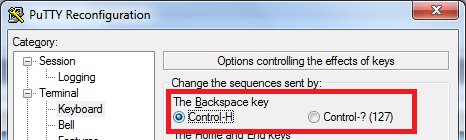
....and now deleting erroneous characters is working. 🙂