Use XIAO ESP32-S3 Wio with RS232
For some time now, I have been looking closely at MeshCore – a LoRa (Long Range)-based application for simple text communication far from the internet and mobile networks. Whilst the technology is quite slow, it is very energy-efficient and can also cover long distances. In an age of messaging app monopolies and increasingly frequent attacks on critical infrastructure, mesh technologies (such as the similar Meshtastic) are not necessarily just a nerdy hobby.
The basics of MeshCore are covered in the following MRMCD 2026 presentation (📽️) and in [this C-RadaR radio programme](https://www.c-radar.de/2026/08/ c-radar-august-2026-mesh/).
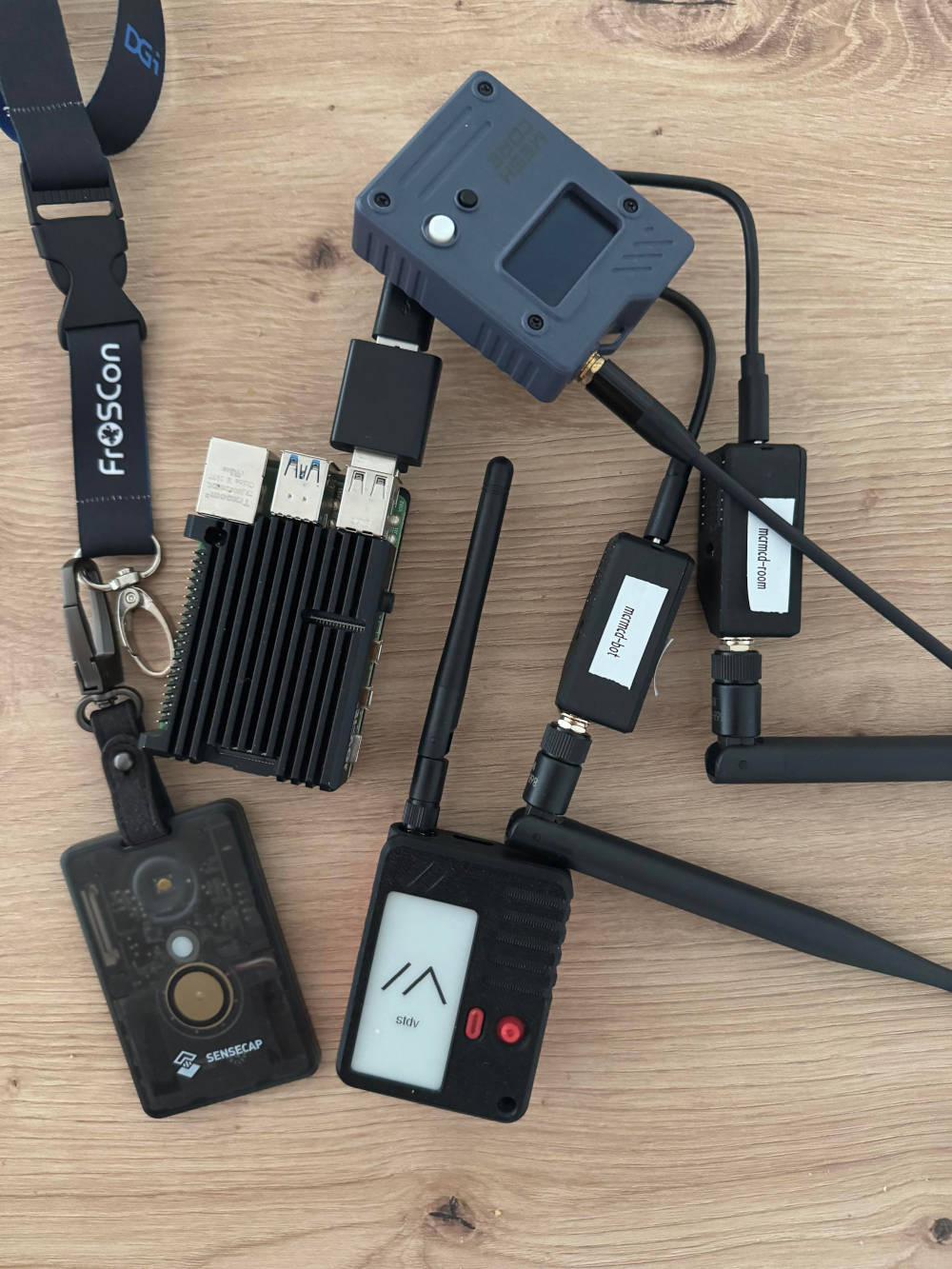
To participate in the MeshCore network, you need what is known as a Companion. When connected to a computer or smartphone, it acts as a “modem” and handles data exchange. Most Companions are powered by a built-in battery – however, there are also USB-powered versions, such as the XIAO ESP32-S3 & Wio-SX1262.
Bluetooth, USB - RS232?
In most cases, Companions are connected via Bluetooth or USB – in both cases, a serial connection is established, over which the MeshCore-specific protocol is then used. By chance, I came across a website that offers a Meshtastic client for a number of retro platforms (Amiga, Atari, MS-DOS). Technically speaking, a standard companion device is connected to the ageing hardware via a serial RS232 connection; the software handles the protocol communication to enable the use of Meshtastic. I therefore naturally asked myself the legitimate question of just how much work it might take to develop a comparable client for MeshCore and MS-DOS.
MeshCore offers the latest firmware versions for supported Companions for download and direct installation via a web browser. As the devices are mostly based on standard microcontrollers, the firmware can be easily updated and changed – for example, to switch between MeshCore and Meshtastic.
MeshCore firmware serial support
Whilst doing some research, I came across a project that can transmit text messages between Meshtastic and MeshCore using two Companions. What's interesting is that no connected computer is required for this – data is exchanged directly via a serial data connection between the two devices. To this end, the MeshCore firmware offers a feature known as Bridge Mode, which must be enabled using the appropriate compiler flags in the source code:
 1[env:Xiao_S3_WIO_repeater_bridge_rs232]
 2extends = Xiao_S3_WIO
 3...
 4build_flags =
 5  ${Xiao_S3_WIO.build_flags}
 6  -D ADVERT_NAME='"RS232 Bridge"'
 7  ...
 8  -D WITH_RS232_BRIDGE=Serial2
 9; RS232 bridge Pins have been relocated from 5,6 which is the i2c bus on xiao_s3
10  -D WITH_RS232_BRIDGE_RX=3
11  -D WITH_RS232_BRIDGE_TX=4
12  -D BRIDGE_DEBUG=1
13  ...
variants/xiao_s3_wio/platformio.io - Extract from the build target for a serial bridge
Compile MeshCore firmware
Whilst there are ready-made firmware images available for BLE and USB companions, for RS232 variants the compiler must be run manually. To do this, you need to clone the MeshCore project's Git repository and install a few development tools:
1$ python3 -m venv meshcore-venv
2$ cd meshcore-venv && source bin/activate
3$ pip install -U platformio
4$ git clone https://github.com/meshcore-dev/MeshCore.git
5$ cd MeshCore
PlatformIO handles the translation and transfer of the firmware – for this to work, the user must be a member of the dialout group on most Linux distributions.
Various tests using the RS232 bridge's compiler flags were unsuccessful – fortunately, however, there is also a build target for pure serial communication:
 1[env:Xiao_S3_WIO_companion_radio_serial]
 2extends = Xiao_S3_WIO
 3build_flags =
 4  ${Xiao_S3_WIO.build_flags}
 5  ...
 6  -D SERIAL_TX=D6
 7  -D SERIAL_RX=D7
 8;  -D MESH_PACKET_LOGGING=1
 9;  -D MESH_DEBUG=1
10  ...
variants/xiao_s3_wio/platformio.io - Extract from the build target for the serial version
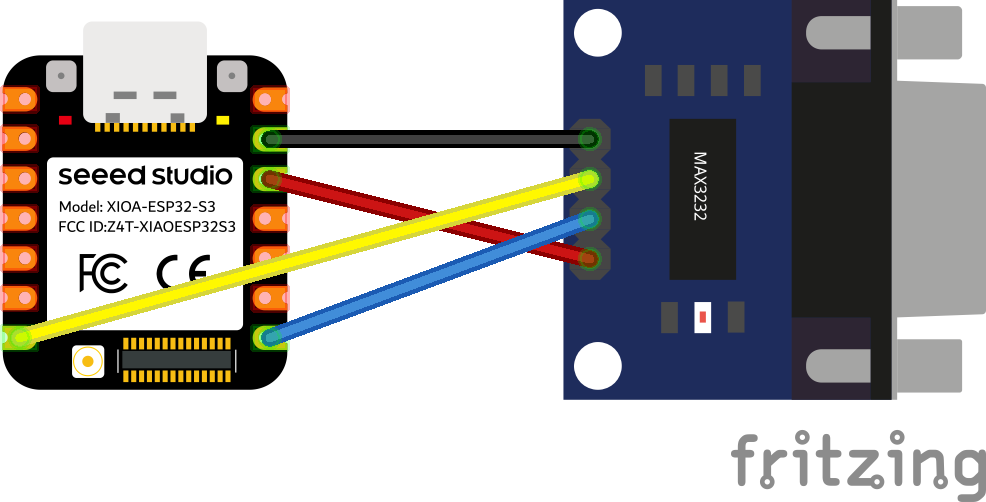
Here, USB is now used solely for power supply and firmware updates – the application protocol is accessed exclusively via pins D6 and D7 of the built-in ESP32-S3. Exactly what I'm looking for! 🥸
The firmware is created and transferred using the pio command:
1$ pio run -e Xiao_S3_WIO_companion_radio_serial -t upload --upload-port /dev/ttyACM0
/dev/ttyACM0 may need to be replaced with the relevant USB Companion device – the commands dmesg or journalctl can help with this when connecting the Companion:
1# journalctl -f
2...
3Oct 05 17:57:30 st-p14sg3 kernel: cdc_acm 3-2:1.0: ttyACM0: USB ACM device
4Oct 05 17:57:30 st-p14sg3 kernel: usbcore: registered new interface driver cdc_acm
5Oct 05 17:57:30 st-p14sg3 kernel: cdc_acm: USB Abstract Control Model driver for USB modems and ISDN adapters
Functional test
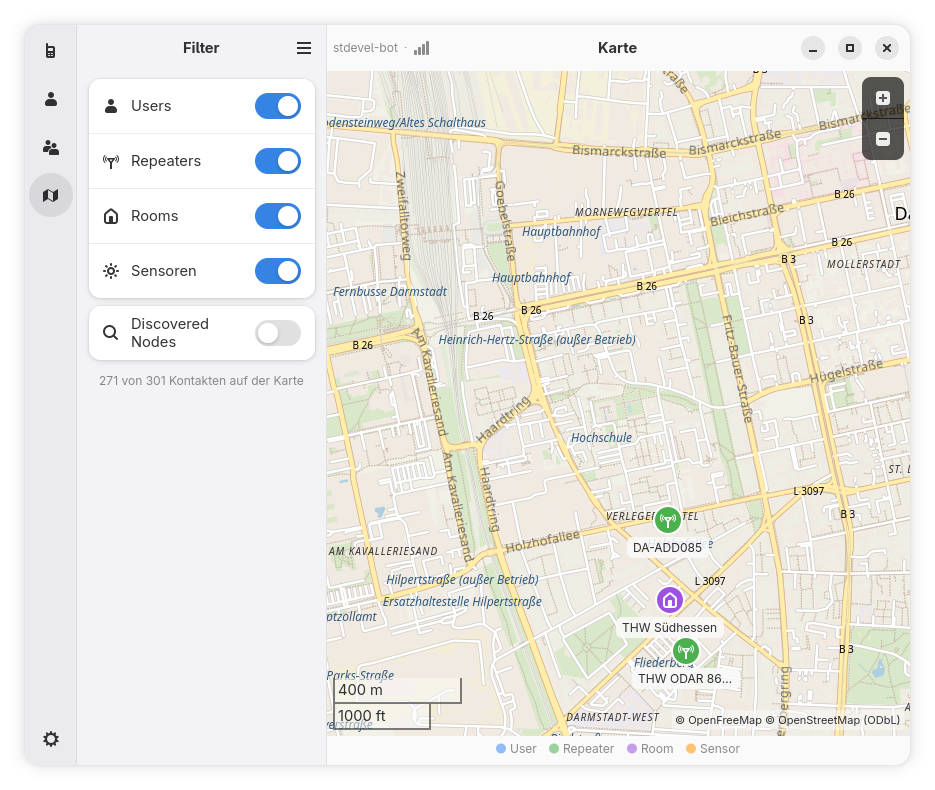
Once the upload has been successful, you should be able to access the Companion using meshcore-cli – if you prefer a graphical interface, use Meshy.
To connect the device to a computer, you'll also need an RS232-to-TTL converter (Transistor-Transistor Logic). Ready-made modules based on the MAX3232 chip are available from the usual online retailers for just a few euros. For modern computers, an RS232-to-USB converter is also required.
1$ meshcore-cli -s /dev/ttyUSB0 -b 115200
2INFO:meshcore:Serial Connection started
3INFO:meshcore:Connected to stdevel-bot running on a v1.17.1 (13) fw.
4Interactive mode, most commands from terminal chat should work.
5Use "to" to select recipient, use Tab to complete name ...
6Some cmds have an help accessible with ?<cmd>. Do ?[Tab] to get a list.
7"quit", "q", CTRL+D will end interactive mode
8Fetching contacts ..... Done
9Fetching channels ..... Done
Conclusion
Even though the MeshCore project doesn't offer any pre-built firmware images with RS232 support, creating your own firmware images is surprisingly easy. Connecting the RS232 Companion to standard MeshCore clients also worked without a hitch. All that's missing now is a suitable client for MS-DOS. 🤓